<!doctype html>
<html dir="ltr" lang="en-US" prefix="og: https://ogp.me/ns#">
<head>
	<meta charset="UTF-8">
	<meta name="viewport" content="width=device-width,initial-scale=1,maximum-scale=1,user-scalable=0">
	<link rel="profile" href="http://gmpg.org/xfn/11">
	<link rel="shortcut icon" href="https://3doodler.flywheelsites.com/wp-content/uploads/2015/04/favicon.ico" type="image/x-icon" />


	<script>var et_site_url='https://learn.the3doodler.com';var et_post_id='18623';function et_core_page_resource_fallback(a,b){"undefined"===typeof b&&(b=a.sheet.cssRules&&0===a.sheet.cssRules.length);b&&(a.onerror=null,a.onload=null,a.href?a.href=et_site_url+"/?et_core_page_resource="+a.id+et_post_id:a.src&&(a.src=et_site_url+"/?et_core_page_resource="+a.id+et_post_id))}
</script><title>Heart-Shaped Cookie Cutter Stamps 3D Pen Tutorial - 3Doodler</title>

		<!-- All in One SEO Pro 4.9.6.1 - aioseo.com -->
	<meta name="description" content="Looking to make a sweet treat this Valentine&#039;s Day? Try your hand at making some special heart-shaped cookies using a doodled cookie cutter." />
	<meta name="robots" content="max-image-preview:large" />
	<meta name="google-site-verification" content="11cZVw7l2FIKKTpXLWOE23Z0iLv30F8dLX7Q97u5yCQ" />
	<meta name="msvalidate.01" content="11cZVw7l2FIKKTpXLWOE23Z0iLv30F8dLX7Q97u5yCQ" />
	<link rel="canonical" href="https://learn.the3doodler.com/tutorials/heart-shaped-cookies-cutter/" />
	<meta name="generator" content="All in One SEO Pro (AIOSEO) 4.9.6.1" />
		<meta property="og:locale" content="en_US" />
		<meta property="og:site_name" content="3Doodler - 3Doodler Learning Portal" />
		<meta property="og:type" content="article" />
		<meta property="og:title" content="Heart-Shaped Cookie Cutter Stamps 3D Pen Tutorial - 3Doodler" />
		<meta property="og:description" content="Looking to make a sweet treat this Valentine&#039;s Day? Try your hand at making some special heart-shaped cookies using a doodled cookie cutter." />
		<meta property="og:url" content="https://learn.the3doodler.com/tutorials/heart-shaped-cookies-cutter/" />
		<meta property="og:image" content="https://s3.amazonaws.com/cdn.help.the3doodler.com/20180613071506/3d_logo.png" />
		<meta property="og:image:secure_url" content="https://s3.amazonaws.com/cdn.help.the3doodler.com/20180613071506/3d_logo.png" />
		<meta property="article:published_time" content="2022-02-09T13:00:03+00:00" />
		<meta property="article:modified_time" content="2022-11-08T08:55:58+00:00" />
		<meta property="article:publisher" content="https://www.facebook.com/3Doodler/" />
		<meta name="twitter:card" content="summary_large_image" />
		<meta name="twitter:site" content="@3Doodler" />
		<meta name="twitter:title" content="Heart-Shaped Cookie Cutter Stamps 3D Pen Tutorial - 3Doodler" />
		<meta name="twitter:description" content="Looking to make a sweet treat this Valentine&#039;s Day? Try your hand at making some special heart-shaped cookies using a doodled cookie cutter." />
		<meta name="twitter:image" content="https://s3.amazonaws.com/cdn.help.the3doodler.com/20180613071506/3d_logo.png" />
		<script type="application/ld+json" class="aioseo-schema">
			{"@context":"https:\/\/schema.org","@graph":[{"@type":"BreadcrumbList","@id":"https:\/\/learn.the3doodler.com\/tutorials\/heart-shaped-cookies-cutter\/#breadcrumblist","itemListElement":[{"@type":"ListItem","@id":"https:\/\/learn.the3doodler.com#listItem","position":1,"name":"Home","item":"https:\/\/learn.the3doodler.com","nextItem":{"@type":"ListItem","@id":"https:\/\/learn.the3doodler.com\/tutorials\/#listItem","name":"Tutorials"}},{"@type":"ListItem","@id":"https:\/\/learn.the3doodler.com\/tutorials\/#listItem","position":2,"name":"Tutorials","item":"https:\/\/learn.the3doodler.com\/tutorials\/","nextItem":{"@type":"ListItem","@id":"https:\/\/learn.the3doodler.com\/tutorials\/type\/create\/#listItem","name":"Create"},"previousItem":{"@type":"ListItem","@id":"https:\/\/learn.the3doodler.com#listItem","name":"Home"}},{"@type":"ListItem","@id":"https:\/\/learn.the3doodler.com\/tutorials\/type\/create\/#listItem","position":3,"name":"Create","item":"https:\/\/learn.the3doodler.com\/tutorials\/type\/create\/","nextItem":{"@type":"ListItem","@id":"https:\/\/learn.the3doodler.com\/tutorials\/heart-shaped-cookies-cutter\/#listItem","name":"Heart-Shaped Cookie Cutter Stamps"},"previousItem":{"@type":"ListItem","@id":"https:\/\/learn.the3doodler.com\/tutorials\/#listItem","name":"Tutorials"}},{"@type":"ListItem","@id":"https:\/\/learn.the3doodler.com\/tutorials\/heart-shaped-cookies-cutter\/#listItem","position":4,"name":"Heart-Shaped Cookie Cutter Stamps","previousItem":{"@type":"ListItem","@id":"https:\/\/learn.the3doodler.com\/tutorials\/type\/create\/#listItem","name":"Create"}}]},{"@type":"Organization","@id":"https:\/\/learn.the3doodler.com\/#organization","name":"3Doodler","description":"3Doodler Learning Portal","url":"https:\/\/learn.the3doodler.com\/","telephone":"+17186189904","logo":{"@type":"ImageObject","url":"https:\/\/s3.amazonaws.com\/cdn.help.the3doodler.com\/20180613071506\/3d_logo.png","@id":"https:\/\/learn.the3doodler.com\/tutorials\/heart-shaped-cookies-cutter\/#organizationLogo","width":300,"height":133,"caption":"3Doodler's iconic logo showcases impressive 3D pen art."},"image":{"@id":"https:\/\/learn.the3doodler.com\/tutorials\/heart-shaped-cookies-cutter\/#organizationLogo"},"sameAs":["https:\/\/www.facebook.com\/3Doodler\/","https:\/\/twitter.com\/3Doodler\/","https:\/\/www.instagram.com\/3Doodler\/","https:\/\/www.pinterest.com\/3Doodler\/","https:\/\/www.youtube.com\/3Doodler","https:\/\/www.linkedin.com\/company\/3doodler"]},{"@type":"WebPage","@id":"https:\/\/learn.the3doodler.com\/tutorials\/heart-shaped-cookies-cutter\/#webpage","url":"https:\/\/learn.the3doodler.com\/tutorials\/heart-shaped-cookies-cutter\/","name":"Heart-Shaped Cookie Cutter Stamps 3D Pen Tutorial - 3Doodler","description":"Looking to make a sweet treat this Valentine's Day? Try your hand at making some special heart-shaped cookies using a doodled cookie cutter.","inLanguage":"en-US","isPartOf":{"@id":"https:\/\/learn.the3doodler.com\/#website"},"breadcrumb":{"@id":"https:\/\/learn.the3doodler.com\/tutorials\/heart-shaped-cookies-cutter\/#breadcrumblist"},"image":{"@type":"ImageObject","url":"https:\/\/s3.amazonaws.com\/cdn.help.the3doodler.com\/20220207103126\/IG-1-1.jpg","@id":"https:\/\/learn.the3doodler.com\/tutorials\/heart-shaped-cookies-cutter\/#mainImage","width":1080,"height":1080,"caption":"Heart-shaped ribbon 3D pen art with cookies on plate"},"primaryImageOfPage":{"@id":"https:\/\/learn.the3doodler.com\/tutorials\/heart-shaped-cookies-cutter\/#mainImage"},"datePublished":"2022-02-09T08:00:03-05:00","dateModified":"2022-11-08T03:55:58-05:00"},{"@type":"WebSite","@id":"https:\/\/learn.the3doodler.com\/#website","url":"https:\/\/learn.the3doodler.com\/","name":"3Doodler","description":"3Doodler Learning Portal","inLanguage":"en-US","publisher":{"@id":"https:\/\/learn.the3doodler.com\/#organization"}}]}
		</script>
		<!-- All in One SEO Pro -->

<link rel='dns-prefetch' href='//assets.the3doodler.com' />
<link rel="alternate" type="application/rss+xml" title="3Doodler &raquo; Feed" href="https://learn.the3doodler.com/feed/" />
<link rel="alternate" type="application/rss+xml" title="3Doodler &raquo; Comments Feed" href="https://learn.the3doodler.com/comments/feed/" />
<link rel="alternate" title="oEmbed (JSON)" type="application/json+oembed" href="https://learn.the3doodler.com/wp-json/oembed/1.0/embed?url=https%3A%2F%2Flearn.the3doodler.com%2Ftutorials%2Fheart-shaped-cookies-cutter%2F" />
<link rel="alternate" title="oEmbed (XML)" type="text/xml+oembed" href="https://learn.the3doodler.com/wp-json/oembed/1.0/embed?url=https%3A%2F%2Flearn.the3doodler.com%2Ftutorials%2Fheart-shaped-cookies-cutter%2F&#038;format=xml" />
<style id='wp-img-auto-sizes-contain-inline-css' type='text/css'>
img:is([sizes=auto i],[sizes^="auto," i]){contain-intrinsic-size:3000px 1500px}
/*# sourceURL=wp-img-auto-sizes-contain-inline-css */
</style>
<link rel='stylesheet' id='wp-block-library-css' href='https://assets.the3doodler.com/wp-includes/css/dist/block-library/style.min.css?ver=6.9.4' type='text/css' media='all' />
<style id='wp-block-library-inline-css' type='text/css'>
/*wp_block_styles_on_demand_placeholder:69e7334d50f3e*/
/*# sourceURL=wp-block-library-inline-css */
</style>
<style id='classic-theme-styles-inline-css' type='text/css'>
/*! This file is auto-generated */
.wp-block-button__link{color:#fff;background-color:#32373c;border-radius:9999px;box-shadow:none;text-decoration:none;padding:calc(.667em + 2px) calc(1.333em + 2px);font-size:1.125em}.wp-block-file__button{background:#32373c;color:#fff;text-decoration:none}
/*# sourceURL=/wp-includes/css/classic-themes.min.css */
</style>
<link rel='stylesheet' id='lity-min-css' href='https://assets.the3doodler.com/wp-content/plugins/dpp/css/lity.min.css?ver=6.9.4' type='text/css' media='all' />
<link rel='stylesheet' id='dpp-formatting-css' href='https://assets.the3doodler.com/wp-content/plugins/dpp/css/formatting-min.css?ver=1771276298' type='text/css' media='all' />
<link rel='stylesheet' id='dpp-readbar-css' href='https://assets.the3doodler.com/wp-content/plugins/dpp/css/dpp-readbar.css?ver=6.9.4' type='text/css' media='all' />
<link rel='stylesheet' id='dpp-uplinks-css' href='https://assets.the3doodler.com/wp-content/plugins/dpp/css/uplinks.css?ver=6.9.4' type='text/css' media='all' />
<link rel='stylesheet' id='dpp-lessonbox-css' href='https://assets.the3doodler.com/wp-content/plugins/dpp/css/dpp-lessonbox.css?ver=1771276298' type='text/css' media='all' />
<link rel='stylesheet' id='dpp-unslider-css' href='https://assets.the3doodler.com/wp-content/plugins/dpp/css/unslider.css?ver=5.1.2' type='text/css' media='all' />
<link rel='stylesheet' id='dpp-unslider-dots-css' href='https://assets.the3doodler.com/wp-content/plugins/dpp/css/unslider-dots.css?ver=5.1.3' type='text/css' media='all' />
<link rel='stylesheet' id='dsm-style-css' href='https://assets.the3doodler.com/wp-content/plugins/dsm/css/style-min.css?ver=1771276287' type='text/css' media='all' />
<link rel='stylesheet' id='flickity-style-css' href='https://assets.the3doodler.com/wp-content/plugins/dsm/css/flickity-min.css?ver=1771276287' type='text/css' media='all' />
<link rel='stylesheet' id='formcraft-common-css' href='https://assets.the3doodler.com/wp-content/plugins/formcraft3/dist/formcraft-common.css?ver=3.5.2' type='text/css' media='all' />
<link rel='stylesheet' id='formcraft-form-css' href='https://assets.the3doodler.com/wp-content/plugins/formcraft3/dist/form.css?ver=3.5.2' type='text/css' media='all' />
<style id='krn-style-inline-css' type='text/css'>

            .klaviyo-newsletter-wrapper {
                display: flex;
                flex-direction: column;
                gap: 10px;
                max-width: 500px;
                margin: 20px auto;
                font-family: Arial, sans-serif;
            }

            .klaviyo-newsletter-wrapper .form-row {
                display: flex;
                gap: 10px;
                flex-wrap: wrap;
            }

            .klaviyo-newsletter-wrapper input,
            .klaviyo-newsletter-wrapper select {
                padding: 10px;
                font-size: 14px;
                flex: 1;
                min-width: 150px;
            }

            .klaviyo-newsletter-wrapper select option {
                background-repeat: no-repeat;
                background-position: 5px center;
                padding-left: 30px;
            }

            .klaviyo-newsletter-wrapper button {
                padding: 10px 20px;
                font-size: 14px;
                background-color: #333;
                color: white;
                border: none;
                cursor: pointer;
            }

            .klaviyo-gdpr {
                font-size: 12px;
                color: #555;
            }

            .klaviyo-gdpr a {
                color: #0073aa;
                text-decoration: underline;
            }
        
/*# sourceURL=krn-style-inline-css */
</style>
<link rel='stylesheet' id='td-stl-style-css' href='https://assets.the3doodler.com/wp-content/plugins/the3doodler-stl-tool/style.css?ver=1774474959' type='text/css' media='all' />
<link rel='stylesheet' id='bear-style-css' href='https://assets.the3doodler.com/wp-content/themes/bear/style-min.css?ver=1771276383' type='text/css' media='all' />
<link rel='stylesheet' id='legacy-style-css' href='https://assets.the3doodler.com/wp-content/themes/bear/legacy.css?ver=1774522435' type='text/css' media='all' />
<link rel='stylesheet' id='shopify-core-css' href='https://assets.the3doodler.com/wp-content/themes/bear/css/shopify-core-bundle.css?ver=1773225880' type='text/css' media='all' />
<link rel='stylesheet' id='shopify-match-css' href='https://assets.the3doodler.com/wp-content/themes/bear/css/shopify-match.css?ver=1773227859' type='text/css' media='all' />
<link rel='stylesheet' id='new-blog-css' href='https://assets.the3doodler.com/wp-content/themes/bear/css/blog.css?ver=1771276380' type='text/css' media='all' />
<link rel='stylesheet' id='betterdocs-instant-answer-css' href='https://assets.the3doodler.com/wp-content/plugins/betterdocs-pro/assets/public/css/instant-answer.css?ver=82ac3f719faee5c4e6ac' type='text/css' media='all' />
<style id='betterdocs-instant-answer-inline-css' type='text/css'>
.betterdocs-ia-launcher-wrapper .betterdocs-ia-launcher, .betterdocs-ia-main-content .chat-container .betterdocs-chatbot-header, .betterdocs-ia-common-header, .betterdocs-ia-common-header .betterdocs-ia-search .betterdocs-ia-search-icon, .betterdocs-ia-tab-message-container .betterdocs-ia-feedback-form .betterdocs-ia-submit button, .betterdocs-ia-single-docs-wrapper .betterdocs-ia-singleDoc-footer .betterdocs-ia-footer-feedback{background-color:#1897ca;}.betterdocs-ia-single-docs-wrapper .betterdocs-ia-singleDoc-header , .betterdocs-ia-tabs .active p{color:#1897ca;}.betterdocs-ia-single-docs-wrapper .betterdocs-ia-singleDoc-header .content-icon-expand svg path, .betterdocs-ia-docs-content .content-icon svg path, .betterdocs-ia-single-docs-wrapper .betterdocs-ia-singleDoc-header .content-icon-back svg path{fill:#1897ca;}.betterdocs-ia-tabs li.active svg g path, .betterdocs-ia-tabs .betterdocs-ia-chatbot.active .chatbotpath, .top-content .chat-icon .chatbotpath, .betterdocs-ia-main-content .message-content .avatar path{fill:#1897ca;}.betterdocs-ia-tabs .betterdocs-ia-chatbot.active .chatbotpathstroke, .top-content .chat-icon .chatbotpathstroke{stroke:#1897ca;}.betterdocs-ia-main-content .chat-container .chat-content-wrapper .chat-footer .message-input button, .betterdocs-ia-main-content .chat-container .chat-content-wrapper .chat-body .message.sent .query, .chat-container .chat-content-wrapper .chat-body .message.failed .query{background-color:#1897ca;}.betterdocs-ia-launcher-wrapper .betterdocs-ia-launcher:hover{background-color:#1897ca;}.betterdocs-ia-common-header .betterdocs-title:not(:last-child){color:#fff;}.betterdocs-ia-common-header h2{color:#fff;}.betterdocs-ia-common-header .betterdocs-info{color:#fff;}.betterdocs-ia-docs .betterdocs-ia-docs-heading .doc-title{color:#111213;}.betterdocs-ia-docs .betterdocs-ia-docs-heading{background-color:#fff;}.betterdocs-ia-docs-content .content-item .content-title{color:#111213;}.betterdocs-ia-docs-content .content-item p{color:#6D7175;}.betterdocs-ia-docs-content{background-color:#fff;}.betterdocs-ia-common-header .betterdocs-ia-search, .betterdocs-ia-common-header .betterdocs-ia-search .betterdocs-ia-search-field{background-color:#fff;}.betterdocs-ia-common-header .betterdocs-ia-search .betterdocs-ia-search-field::placeholder{color:#1c1c1c;}.betterdocs-ia-common-header .betterdocs-ia-search .betterdocs-ia-search-field{color:#000000;}.betterdocs-ia-common-header .betterdocs-ia-search .betterdocs-ia-search-icon svg{fill:#FFFFFF;}.betterdocs-ia-tabs{background-color:#FFF;}.betterdocs-ia-tabs li p{color:#202223;}.betterdocs-ia-tab-message-container .message__header .header__content h4{color:#fff;}.betterdocs-ia-tab-message-container .message__header .header__content p{color:#fff;}.betterdocs-ia-tab-message-container .betterdocs-ia-feedback-form .betterdocs-ia-group .ia-input, .betterdocs-ia-tab-message-container .betterdocs-ia-feedback-form .betterdocs-ia-group > textarea{background-color:#fff;}.betterdocs-ia-tab-message-container .betterdocs-ia-feedback-form .betterdocs-ia-email-group p, .betterdocs-ia-tab-message-container .betterdocs-ia-feedback-form .betterdocs-ia-name-group p, .betterdocs-ia-tab-message-container .betterdocs-ia-feedback-form .betterdocs-ia-subject-group p, .betterdocs-ia-tab-message-container .betterdocs-ia-feedback-form .betterdocs-ia-message-group p{color:#202223;}.betterdocs-ia-tab-message-container .betterdocs-ia-feedback-form .betterdocs-ia-attachments-group button{background-color:#fff;}.betterdocs-ia-tab-message-container .betterdocs-ia-feedback-form .betterdocs-ia-attachments-group p{color:#6d7175;}.betterdocs-ia-single-docs-wrapper .betterdocs-ia-singleDoc-content .doc-title{color:#111213;}.betterdocs-ia-single-docs-wrapper .betterdocs-ia-singleDoc-header.on-scroll h2{color:#111213;}.betterdocs-ia-single-docs-wrapper .betterdocs-ia-singleDoc-header{background-color:#F6F6F7;}.betterdocs-ia-single-docs-wrapper .betterdocs-ia-singleDoc-header .content-icon-back, .betterdocs-ia-single-docs-wrapper .betterdocs-ia-singleDoc-header .content-icon-expand{background-color:#f6f6f7;}.betterdocs-ia-single-docs-wrapper .betterdocs-ia-singleDoc-footer .betterdocs-ia-footer-feedback .betterdocs-ia-reaction-group .ia-reaction{background-color:#1897ca;}.betterdocs-ia-single-docs-wrapper .betterdocs-ia-singleDoc-footer .betterdocs-ia-footer-feedback .betterdocs-ia-reaction-group .ia-reaction .betterdocs-emo{fill:#ffffff;}.betterdocs-ia-single-docs-wrapper .betterdocs-ia-singleDoc-footer .betterdocs-ia-footer-feedback p{color:#FAFAFA;}
/*# sourceURL=betterdocs-instant-answer-inline-css */
</style>
<link rel='stylesheet' id='docs-faq-css' href='https://assets.the3doodler.com/wp-content/themes/bear/css/docs-faq.css?ver=1775031268' type='text/css' media='all' />
<script type="text/javascript" src="https://assets.the3doodler.com/wp-includes/js/jquery/jquery.min.js?ver=3.7.1" id="jquery-core-js"></script>
<script type="text/javascript" src="https://assets.the3doodler.com/wp-includes/js/jquery/jquery-migrate.min.js?ver=3.4.1" id="jquery-migrate-js"></script>
<script type="text/javascript" src="https://assets.the3doodler.com/wp-content/plugins/dpp/js/unslider.js?ver=1.0" id="unslider-js"></script>
<script type="text/javascript" src="https://assets.the3doodler.com/wp-content/plugins/dsm/js/faqs-min.js?ver=6.9.4" id="dsm-faqs-js"></script>
<script type="text/javascript" src="https://assets.the3doodler.com/wp-content/plugins/dsm/js/tabs-min.js?ver=6.9.4" id="cd-tabs-js"></script>
<script type="text/javascript" src="https://assets.the3doodler.com/wp-content/plugins/dsm/js/classie-min.js?ver=6.9.4" id="classie-js"></script>
<script type="text/javascript" src="https://assets.the3doodler.com/wp-content/plugins/dsm/js/parallax.js?ver=6.9.4" id="parallax-js"></script>
<script type="text/javascript" src="https://assets.the3doodler.com/wp-content/plugins/dsm/js/flickity.js?ver=6.9.4" id="flickity-js"></script>
<link rel="https://api.w.org/" href="https://learn.the3doodler.com/wp-json/" /><link rel="EditURI" type="application/rsd+xml" title="RSD" href="https://learn.the3doodler.com/xmlrpc.php?rsd" />
<meta name="generator" content="WordPress 6.9.4" />
<link rel='shortlink' href='https://learn.the3doodler.com/?p=18623' />
<link rel="preload" href="https://learn.the3doodler.com/wp-content/plugins/bloom/core/admin/fonts/modules.ttf" as="font" crossorigin="anonymous"><meta name="generator" content="Elementor 3.32.0; features: e_font_icon_svg, additional_custom_breakpoints; settings: css_print_method-internal, google_font-enabled, font_display-swap">
<!--[if IE 9]> <script>var _fusionParallaxIE9 = true;</script> <![endif]-->			<style>
				.e-con.e-parent:nth-of-type(n+4):not(.e-lazyloaded):not(.e-no-lazyload),
				.e-con.e-parent:nth-of-type(n+4):not(.e-lazyloaded):not(.e-no-lazyload) * {
					background-image: none !important;
				}
				@media screen and (max-height: 1024px) {
					.e-con.e-parent:nth-of-type(n+3):not(.e-lazyloaded):not(.e-no-lazyload),
					.e-con.e-parent:nth-of-type(n+3):not(.e-lazyloaded):not(.e-no-lazyload) * {
						background-image: none !important;
					}
				}
				@media screen and (max-height: 640px) {
					.e-con.e-parent:nth-of-type(n+2):not(.e-lazyloaded):not(.e-no-lazyload),
					.e-con.e-parent:nth-of-type(n+2):not(.e-lazyloaded):not(.e-no-lazyload) * {
						background-image: none !important;
					}
				}
			</style>
			
	<!-- <link rel="stylesheet" href="/wp-content/themes/bear/css/shopify-core-bundle.css"> -->


<script async src="https://www.googletagmanager.com/gtag/js?id=G-LJTXX3PB9D"></script>

<!-- Google Tag Manager 4 -->
<script>

if (window.location.hostname == 'app22132.cloudwayssites.com') {

  /*(function(w,d,s,l,i){w[l]=w[l]||[];w[l].push({'gtm.start':
  new Date().getTime(),event:'gtm.js'});var f=d.getElementsByTagName(s)[0],
  j=d.createElement(s),dl=l!='dataLayer'?'&l='+l:'';j.async=true;j.src=
  'https://www.googletagmanager.com/gtm.js?id='+i+dl;f.parentNode.insertBefore(j,f);
})(window,document,'script','dataLayer','GTM-M8CDHQV');*/

  window.dataLayer = window.dataLayer || [];
  function gtag(){dataLayer.push(arguments);}
  gtag('js', new Date());

  gtag('config', 'G-LJTXX3PB9D');

}

</script>
<!-- End Google Tag Manager -->
	<!-- Hotjar Tracking Code for the3doodler.com -->
<script>
    (function(h,o,t,j,a,r){
        h.hj=h.hj||function(){(h.hj.q=h.hj.q||[]).push(arguments)};
        h._hjSettings={hjid:1394972,hjsv:6};
        a=o.getElementsByTagName('head')[0];
        r=o.createElement('script');r.async=1;
        r.src=t+h._hjSettings.hjid+j+h._hjSettings.hjsv;
        a.appendChild(r);
    })(window,document,'https://static.hotjar.com/c/hotjar-','.js?sv=');
</script>
<!-- End HotJar -->

	<!-- Start Shopify Styles -->


      <link rel="preconnect" href="https://fonts.googleapis.com">
		<link rel="preconnect" href="https://fonts.gstatic.com" crossorigin>
		<link href="https://fonts.googleapis.com/css2?family=Bricolage+Grotesque:opsz,wght@12..96,200..800&family=Open+Sans:ital,wght@0,300..800;1,300..800&display=swap" rel="stylesheet">


    <!-- End Shopify Styles -->


<!-- Global site tag (gtag.js) - Google Ads -->
<script async src="https://www.googletagmanager.com/gtag/js?id=AW-XXXXXXX"></script>
<script>
  window.dataLayer = window.dataLayer || [];
  function gtag(){dataLayer.push(arguments);}
  gtag('js', new Date());

  // Load Google Ads base remarketing tag
  gtag('config', 'AW-954438379');
</script>
<script id="usercentrics-cmp" src="https://web.cmp.usercentrics.eu/ui/loader.js" data-settings-id="_4ROtKKTQKl1yp" async></script>
</head>

<body class="wp-singular tutorial-template-default single single-tutorial postid-18623 wp-custom-logo wp-theme-bear et_bloom tutorial-heart-shaped-cookies-cutter post-builder-template elementor-default elementor-kit-23889" style="opacity: 0;">
	<script>0</script>

	
<div class="drawer__backdrop"></div>

<div id="page" class="site wp">
	<a class="skip-link screen-reader-text" href="#content">Skip to content</a>


	<!-- START SHOPIFY ANNOUNCEMENT BAR -->
	<div id="shopify-section-sections--16606217633876__announcements-bar" class="shopify-section shopify-section-group-header-group section-anim-in section-in-view">
  <style>
    .announcements-bar {
      font-size: 13px;
      text-transform: uppercase;
      letter-spacing: 0.04em;
    }
    .announcement {
      max-width: none;
      padding: 8px!important;
    }
    .announcement a {
      text-decoration: underline;
    }
  </style>
  <div class="announcements-bar color-overlay-scheme font-heading shopify-match">
    <gridy-slider class="gridy-slider" data-mobile-enabled="true" data-tablet-enabled="true" data-desktop-enabled="true" data-ipr-mobile="1" data-ipr-tablet="1" data-ipr-desktop="1" data-autoplay="true" data-autoplay-delay="5000" data-sliding-behavior="single">
      <div class="gridy-track disable-scroll grid grid-cols-1 md-grid-cols-1 js-banner" style="--gap:0px;">
								    <ul>
				    				        <li class="announcement flex center-center text-center">
				            				        </li>
				    				        <li class="announcement flex center-center text-center">
				            				        </li>
				    				    </ul>
				
      </div>
    </gridy-slider>
  </div>


</div>
	<!-- END SHOPIFY ANNOUNCEMENT BAR -->


	<!-- START SHOPIFY NAV -->
<div id="shopify-section-sections--16606217633876__header" class="shopify-section shopify-section-group-header-group site-header section-anim-in section-in-view ">
  <link rel="stylesheet" href="https://the3doodler.com/cdn/shop/t/30/assets/component-drawers.css?v=183017247033922738131740969511" media="all" onload="this.media='all'">
  <link rel="stylesheet" href="https://the3doodler.com/cdn/shop/t/30/assets/component-accordions.css?v=81351080926956981111740969512" media="all" onload="this.media='all'">
  <link rel="stylesheet" href="https://the3doodler.com/cdn/shop/t/30/assets/component-search.css?v=184115848755030619871740969511" media="all" onload="this.media='all'">
  <noscript>
    <link rel="stylesheet" href="https://the3doodler.com/cdn/shop/t/30/assets/component-drawers.css?v=183017247033922738131740969511" media="print" onload="this.media='all'; this.onload = null">
    <link rel="stylesheet" href="https://the3doodler.com/cdn/shop/t/30/assets/component-accordions.css?v=81351080926956981111740969512" media="print" onload="this.media='all'; this.onload = null">
  </noscript>
  <style type="text/css">
    .header-logo>* {
      margin-top: 25px;
      ;
      margin-bottom: 25px;
      ;
    }

    @media only screen and (min-width:768px) {
      .header-logo>* {
        margin-top: 10px;
        ;
        margin-bottom: 10px;
        ;
      }
    }
  </style>
  <header id="MainHeader" class="header container sm-down-edge-to-edge color-default use-background logo-left__menu-center shopify-match" data-use-icons="true" data-sticky-behavior="fixed">
    <div class="header-content">
      <div class="header-item --left">
        <a id="shopify-match-nav-toggle" role="button" href="#drawer-menu" class="header-item__link ">
          <div class="header-item__link-icon">
            <svg role="presentation" aria-hidden="true" xmlns="http://www.w3.org/2000/svg" width="24" height="24" viewBox="0 0 24 24" fill="none" stroke="currentColor" stroke-width="2" stroke-linecap="round" stroke-linejoin="round" class="feather feather-menu">
              <line x1="3" y1="12" x2="21" y2="12"></line>
              <line x1="3" y1="6" x2="21" y2="6"></line>
              <line x1="3" y1="18" x2="21" y2="18"></line>
            </svg>
            <span class="visually-hidden">Menu</span>
          </div>
        </a>
        <a class="header-logo" href="/" style=" --logo-width: 90px; --sm-logo-width: 150px;">
          <img class="site-logo --default" width="180" height="68" src="https://the3doodler.com/cdn/shop/files/3Doodler_Logo.svg?v=1717425489&amp;width=600" alt="3Doodler">
        </a>
      </div>
      <div class="header-item --center ">
				<nav class="header-shortlinks"><a class="header-shortlink flex center-center" href="https://learn.the3doodler.com/lessons/">3D LESSONS</a></li>
<a class="header-shortlink flex center-center" href="https://learn.the3doodler.com/tutorials/">3D TUTORIALS</a></li>
<a class="header-shortlink flex center-center" href="https://learn.the3doodler.com/stencils/">3D STENCILS</a></li>
<button class="header-shortlink js flex center-center" style="gap:4px">SUPPORT</button></li>
<button class="header-shortlink js flex center-center" style="gap:4px">SHOP</button></li>
<a class="header-shortlink flex center-center" href="https://the3doodler.com/collections/deals">DEALS</a></li>
</nav>      </div>
      <div class="header-item --right">
        <!-- <button class="header-shortlink js flex center-center medium-down--hide" style="gap:4px" data-drawer-submenu-open="#localization"><img src="https://upload.wikimedia.org/wikipedia/en/a/a4/Flag_of_the_United_States.svg" alt="USA Flag" class="country-flag" loading="lazy" width="32"><span class="country-name">USA</span></button><noscript><a role="button" class="header-shortlink flex center-center no-js" href="#localization">US&nbsp;·&nbsp;USD&nbsp;$</a></noscript> -->
        <a role="button" href="#drawer-search" class="header-item__link search-button ">
          <div class="header-item__link-icon">
            <svg role="presentation" aria-hidden="true" xmlns="http://www.w3.org/2000/svg" width="24" height="24" viewBox="0 0 24 24" fill="none" stroke="currentColor" stroke-width="2" stroke-linecap="round" stroke-linejoin="round" class="feather feather-search">
              <circle cx="11" cy="11" r="8"></circle>
              <line x1="21" y1="21" x2="16.65" y2="16.65"></line>
            </svg>
            <span class="visually-hidden">Search</span>
          </div>
        </a>
        <!-- <a href="https://the3doodler.com/account" class="header-item__link">
          <div class="header-item__link-icon">
            <svg role="presentation" aria-hidden="true" xmlns="http://www.w3.org/2000/svg" width="24" height="24" viewBox="0 0 24 24" fill="none" stroke="currentColor" stroke-width="2" stroke-linecap="round" stroke-linejoin="round" class="feather feather-user">
              <path d="M20 21v-2a4 4 0 0 0-4-4H8a4 4 0 0 0-4 4v2"></path>
              <circle cx="12" cy="7" r="4"></circle>
            </svg>
            <span class="visually-hidden">Account</span>
          </div>
        </a>
        <a role="button" href="https://the3doodler.com/cart" class="header-item__link ">
          <div class="header-item__link-icon">
            <svg role="presentation" aria-hidden="true" xmlns="http://www.w3.org/2000/svg" width="24" height="24" viewBox="0 0 24 24" fill="none" stroke="currentColor" stroke-width="2" stroke-linecap="round" stroke-linejoin="round" class="feather feather-shopping-basket">
              <path d="M6 2L3 6v14a2 2 0 0 0 2 2h14a2 2 0 0 0 2-2V6l-3-4z"></path>
              <line x1="3" y1="6" x2="21" y2="6"></line>
              <path d="M16 10a4 4 0 0 1-8 0"></path>
            </svg>
            <span class="visually-hidden">View my cart (0)</span>
          </div>
          <span class="cart-blip" aria-hidden="true" hidden=""> 0 </span>
        </a> -->
      </div>
    </div>
  </header>
  <drawer-menu id="drawer-menu" class="drawer drawer-menu" data-drawer="" data-parent="" style="opacity: 0; display: none;">
    <div class="drawer-panel drawer-menu__contents user-select-none color-default" data-contents="">
      <header id="main-drawer-header" class="drawer-header">
        <a role="button" href="#" class="close" data-close="" aria-label="Close navigation">
          <svg role="presentation" aria-hidden="true" xmlns="http://www.w3.org/2000/svg" width="24" height="24" viewBox="0 0 24 24" fill="none" stroke="currentColor" stroke-width="2" stroke-linecap="round" stroke-linejoin="round" class="feather feather-x">
            <line x1="18" y1="6" x2="6" y2="18"></line>
            <line x1="6" y1="6" x2="18" y2="18"></line>
          </svg>
        </a>
      </header>


						    <nav class="drawer-menu-nav drawer-content scrollbar--hide">
			    												 <a href="https://learn.the3doodler.com/lessons/" class="drawer-menu__item is-single" aria-label="Navigate to 3D LESSONS" title="Navigate to 3D LESSONS">
		          <span class="mobile-menu-text">3D LESSONS</span>
		        </a>
					 			    												 <a href="https://learn.the3doodler.com/tutorials/" class="drawer-menu__item is-single" aria-label="Navigate to 3D TUTORIALS" title="Navigate to 3D TUTORIALS">
		          <span class="mobile-menu-text">3D TUTORIALS</span>
		        </a>
					 			    												 <a href="https://learn.the3doodler.com/stencils/" class="drawer-menu__item is-single" aria-label="Navigate to 3D STENCILS" title="Navigate to 3D STENCILS">
		          <span class="mobile-menu-text">3D STENCILS</span>
		        </a>
					 			    									        <div data-accordion-item="" class="drawer-menu__item --drilldown">
								<input role="button" data-href="https://the3doodler.com/collections/pens" class="drawer-menu__item__input" id="panel-support-drawer-menu__item-js" type="checkbox">
			          <label data-href="https://the3doodler.com/collections/pens" class="drawer-menu__item-label" for="panel-support-drawer-menu__item-js" aria-label="View items under 3D PENS">
			            <span>SUPPORT</span>
			            <svg aria-hidden="true" xmlns="http://www.w3.org/2000/svg" width="24" height="24" viewBox="0 0 24 24" fill="none" stroke="currentColor" stroke-width="2" stroke-linecap="round" stroke-linejoin="round" class="feather feather-chevron-right">
			              <polyline points="9 18 15 12 9 6"></polyline>
			            </svg>
			          </label>
			          <div id="panel-support-drawer-menu__item-js-container" data-accordion-panel="" class="drawer-submenu__panel-container js ">
			            <div class="drawer-submenu__panel">
			              <header class="drawer-header">
			                <button class="close--submenu medium-up--hide" title="Hide SUPPORT menu" aria-label="Hide SUPPORT menu" type="button" data-drawer-submenu-close="panel-support-drawer-menu__item-js">
			                  <svg aria-hidden="true" xmlns="http://www.w3.org/2000/svg" width="24" height="24" viewBox="0 0 24 24" fill="none" stroke="currentColor" stroke-width="2" stroke-linecap="round" stroke-linejoin="round" class="feather feather-chevron-left">
			                    <polyline points="15 18 9 12 15 6"></polyline>
			                  </svg>
			                </button>
			                <span class="medium-up--hide">SUPPORT</span>
			                <a class="medium-up--hide" role="button" href="#" aria-label="Close navigation" data-drawer-close="" data-close="">
			                  <svg role="presentation" aria-hidden="true" xmlns="http://www.w3.org/2000/svg" width="24" height="24" viewBox="0 0 24 24" fill="none" stroke="currentColor" stroke-width="2" stroke-linecap="round" stroke-linejoin="round" class="feather feather-x">
			                    <line x1="18" y1="6" x2="6" y2="18"></line>
			                    <line x1="6" y1="6" x2="18" y2="18"></line>
			                  </svg>
			                </a>
			              </header>

																				    <div class="drawer-content scrollbar--hide">
										    												<a href="" class="drawer-submenu__item" aria-label="Navigate to Discover" title="Navigate to Discover">
												 <span class="mobile-menu-text">Discover</span>
											 </a>
											 												 <p><a class="drawer-subsubmenu__item" title="Navigate to What is a 3D Pen?" href="/pages/what-is-a-3d-pen" aria-label="Navigate to What is a 3D Pen?"><span class="mobile-menu-text">What is a 3D Pen?</span></a><a class="drawer-subsubmenu__item" title="Navigate to How to use a 3D pen" href="/about/how-to-use-a-3d-pen/" target="_self" rel="noopener" aria-label="Navigate to How to use a 3D pen"><span class="mobile-menu-text">How to use a 3D pen</span></a><a class="drawer-subsubmenu__item" title="Navigate to How to draw with a 3D pen" href="/about/how-to-draw-with-a-3d-pen/" target="_self" rel="noopener" aria-label="Navigate to How to draw with a 3D pen"><span class="mobile-menu-text">How to draw with a 3D pen</span></a><a class="drawer-subsubmenu__item" title="Navigate to Drawing 3D art with a 3D pen" href="/about/3d-drawing-pen-art/" target="_self" rel="noopener" aria-label="Navigate to Drawing 3D art with a 3D pen"><span class="mobile-menu-text">Drawing 3D art with a 3D pen</span><br />
</a></p>
												
										    												<a href="https://learn.the3doodler.com/support" class="drawer-submenu__item" aria-label="Navigate to Get Started" title="Navigate to Get Started">
												 <span class="mobile-menu-text">Get Started</span>
											 </a>
											 												 <p><a class="drawer-subsubmenu__item" title="Navigate to Start+" href="https://learn.the3doodler.com/docs/start/start-getting-started-guide/" target="_self" rel="noopener" aria-label="Navigate to Start+"><span class="mobile-menu-text">Start+</span></a><a class="drawer-subsubmenu__item" title="Navigate to Flow" href="https://learn.the3doodler.com/docs/flow/flow-getting-started-guide/" target="_self" rel="noopener" aria-label="Navigate to Flow"><span class="mobile-menu-text">Flow</span></a><a class="drawer-subsubmenu__item" title="Navigate to Create+" href="https://learn.the3doodler.com/docs/create-discontinued-pens/create-getting-started-guide/" target="_self" rel="noopener" aria-label="Navigate to Create+"><span class="mobile-menu-text">Create+</span></a><a class="drawer-subsubmenu__item" title="Navigate to Candy" href="https://learn.the3doodler.com/docs/candy/candy-getting-started-guide/" target="_self" rel="noopener" aria-label="Navigate to Candy"><span class="mobile-menu-text">Candy</span></a><a class="drawer-subsubmenu__item" title="Navigate to Chef" href="https://learn.the3doodler.com/docs/chef/chef-getting-started-guide/" target="_self" rel="noopener" aria-label="Navigate to Chef"><span class="mobile-menu-text">Chef</span></a><a class="drawer-subsubmenu__item" title="Navigate to PRO" href="https://learn.the3doodler.com/docs/pro/pro-getting-started-guide/" target="_self" rel="noopener" aria-label="Navigate to PRO"><span class="mobile-menu-text">PRO</span><br />
</a></p>
												
										    												<a href="https://learn.the3doodler.com/support" class="drawer-submenu__item" aria-label="Navigate to Troubleshooting" title="Navigate to Troubleshooting">
												 <span class="mobile-menu-text">Troubleshooting</span>
											 </a>
											 												 <p><a class="drawer-subsubmenu__item" title="Navigate to Start+" href="https://learn.the3doodler.com/docs/start/start-troubleshooting-faqs/" target="_self" rel="noopener" aria-label="Navigate to Start+"><span class="mobile-menu-text">Start+</span></a><a class="drawer-subsubmenu__item" title="Navigate to Flow" href="https://learn.the3doodler.com/docs/flow/flow-troubleshooting-guide/" target="_self" rel="noopener" aria-label="Navigate to Flow"><span class="mobile-menu-text">Flow</span></a><a class="drawer-subsubmenu__item" title="Navigate to Create+" href="https://learn.the3doodler.com/docs/create-discontinued-pens/create-troubleshooting-guide/" target="_self" rel="noopener" aria-label="Navigate to Create+"><span class="mobile-menu-text">Create+</span></a><a class="drawer-subsubmenu__item" title="Navigate to Candy" href="https://learn.the3doodler.com/docs/candy/candy-troubleshooting-guide/" target="_self" rel="noopener" aria-label="Navigate to Candy"><span class="mobile-menu-text">Candy</span></a><a class="drawer-subsubmenu__item" title="Navigate to Chef" href="https://learn.the3doodler.com/docs/chef/chef-troubleshooting-guide/" target="_self" rel="noopener" aria-label="Navigate to Chef"><span class="mobile-menu-text">Chef</span></a><a class="drawer-subsubmenu__item" title="Navigate to PRO" href="https://learn.the3doodler.com/docs/pro/pro-troubleshooting-guide/" target="_self" rel="noopener" aria-label="Navigate to PRO"><span class="mobile-menu-text">PRO</span><br />
</a></p>
												
										    												<a href="https://learn.the3doodler.com/support" class="drawer-submenu__item" aria-label="Navigate to Manuals" title="Navigate to Manuals">
												 <span class="mobile-menu-text">Manuals</span>
											 </a>
											 												 <p><a class="drawer-subsubmenu__item" title="Navigate to Start+" href="https://learn.the3doodler.com/docs/start/start-manuals/" target="_self" rel="noopener" aria-label="Navigate to Start+"><span class="mobile-menu-text">Start+</span></a><a class="drawer-subsubmenu__item" title="Navigate to Flow" href="https://learn.the3doodler.com/docs/flow/flow-manuals/" target="_self" rel="noopener" aria-label="Navigate to Flow"><span class="mobile-menu-text">Flow</span></a><a class="drawer-subsubmenu__item" title="Navigate to Create+" href="https://learn.the3doodler.com/docs/create-discontinued-pens/create-manuals/" target="_self" rel="noopener" aria-label="Navigate to Create+"><span class="mobile-menu-text">Create+</span></a><a class="drawer-subsubmenu__item" title="Navigate to Candy" href="https://learn.the3doodler.com/docs/candy/candy-manuals/" target="_self" rel="noopener" aria-label="Navigate to Candy"><span class="mobile-menu-text">Candy</span></a><a class="drawer-subsubmenu__item" title="Navigate to Chef" href="https://learn.the3doodler.com/docs/chef/chef-manuals/" target="_self" rel="noopener" aria-label="Navigate to Chef"><span class="mobile-menu-text">Chef</span></a><a class="drawer-subsubmenu__item" title="Navigate to PRO" href="https://learn.the3doodler.com/docs/pro/pro-manuals/" target="_self" rel="noopener" aria-label="Navigate to PRO"><span class="mobile-menu-text">PRO</span><br />
</a></p>
												
										    												<a href="https://learn.the3doodler.com/resources" class="drawer-submenu__item" aria-label="Navigate to Resources" title="Navigate to Resources">
												 <span class="mobile-menu-text">Resources</span>
											 </a>
											 												 <p><a class="drawer-subsubmenu__item" title="Navigate to Tutorials" href="/tutorials/" target="_self" rel="noopener" aria-label="Navigate to Tutorials"><span class="mobile-menu-text">Tutorials</span></a><a class="drawer-subsubmenu__item" title="Navigate to Stencils" href="/stencils" target="_self" rel="noopener" aria-label="Navigate to Stencils"><span class="mobile-menu-text">Stencils</span></a><a class="drawer-subsubmenu__item" title="Navigate to Lessons" href="/lessons" target="_self" rel="noopener" aria-label="Navigate to Lessons"><span class="mobile-menu-text">Lessons</span><br />
</a></p>
												
										    												<a href="https://learn.the3doodler.com/help" class="drawer-submenu__item" aria-label="Navigate to Help" title="Navigate to Help">
												 <span class="mobile-menu-text">Help</span>
											 </a>
											 												 <p><a class="drawer-subsubmenu__item" title="Navigate to FAQs" href="https://learn.the3doodler.com/faqs" aria-label="Navigate to FAQs"><span class="mobile-menu-text">FAQs</span></a><a class="drawer-subsubmenu__item" title="Navigate to Compatibility" href="/compatibility/" target="_self" rel="noopener" aria-label="Navigate to Compatibility"><span class="mobile-menu-text">Compatibility</span></a></p>
												
										    												<a href="https://learn.the3doodler.com/edu" class="drawer-submenu__item" aria-label="Navigate to Schools" title="Navigate to Schools">
												 <span class="mobile-menu-text">Schools</span>
											 </a>
											 												 <p><a class="drawer-subsubmenu__item" title="Navigate to Learning Packs" href="/edu/learning-packs" target="_self" rel="noopener" aria-label="Navigate to Learning Packs"><span class="mobile-menu-text">Learning Packs</span></a><a class="drawer-subsubmenu__item" title="Navigate to Lessons" href="/lessons" target="_self" rel="noopener" aria-label="Navigate to Lessons"><span class="mobile-menu-text">Lessons</span></a><a class="drawer-subsubmenu__item" title="Navigate to Professional Development" href="/edu/webinar" target="_self" rel="noopener" aria-label="Navigate to Professional Development"><span class="mobile-menu-text">Professional Development</span></a><a class="drawer-subsubmenu__item" title="Navigate to Accessibility" href="/about/rnib" target="_self" rel="noopener" aria-label="Navigate to Accessibility"><span class="mobile-menu-text">Accessibility</span></a><a class="drawer-subsubmenu__item" title="Navigate to Purchase Orders" href="/legal/purchase-orders" target="_self" rel="noopener" aria-label="Navigate to Purchase Orders"><span class="mobile-menu-text">Purchase Orders</span><br />
</a></p>
												
										    												<a href="https://learn.the3doodler.com/blog/" class="drawer-submenu__item" aria-label="Navigate to Blog" title="Navigate to Blog">
												 <span class="mobile-menu-text">Blog</span>
											 </a>
											 												 												
										    											</div>
										

			            </div>
			          </div>
			          <style data-shopify="">
			            @media only screen and (min-width: 768px) {
			              #panel-support-drawer-menu__item-js-container {
			                clip-path: url("#drawer-clip")
			              }
			            }
			          </style>


			       </div>
					 			    									        <div data-accordion-item="" class="drawer-menu__item --drilldown">
								<input role="button" data-href="https://the3doodler.com/collections/pens" class="drawer-menu__item__input" id="panel-shop-drawer-menu__item-js" type="checkbox">
			          <label data-href="https://the3doodler.com/collections/pens" class="drawer-menu__item-label" for="panel-shop-drawer-menu__item-js" aria-label="View items under 3D PENS">
			            <span>SHOP</span>
			            <svg aria-hidden="true" xmlns="http://www.w3.org/2000/svg" width="24" height="24" viewBox="0 0 24 24" fill="none" stroke="currentColor" stroke-width="2" stroke-linecap="round" stroke-linejoin="round" class="feather feather-chevron-right">
			              <polyline points="9 18 15 12 9 6"></polyline>
			            </svg>
			          </label>
			          <div id="panel-shop-drawer-menu__item-js-container" data-accordion-panel="" class="drawer-submenu__panel-container js ">
			            <div class="drawer-submenu__panel">
			              <header class="drawer-header">
			                <button class="close--submenu medium-up--hide" title="Hide SHOP menu" aria-label="Hide SHOP menu" type="button" data-drawer-submenu-close="panel-shop-drawer-menu__item-js">
			                  <svg aria-hidden="true" xmlns="http://www.w3.org/2000/svg" width="24" height="24" viewBox="0 0 24 24" fill="none" stroke="currentColor" stroke-width="2" stroke-linecap="round" stroke-linejoin="round" class="feather feather-chevron-left">
			                    <polyline points="15 18 9 12 15 6"></polyline>
			                  </svg>
			                </button>
			                <span class="medium-up--hide">SHOP</span>
			                <a class="medium-up--hide" role="button" href="#" aria-label="Close navigation" data-drawer-close="" data-close="">
			                  <svg role="presentation" aria-hidden="true" xmlns="http://www.w3.org/2000/svg" width="24" height="24" viewBox="0 0 24 24" fill="none" stroke="currentColor" stroke-width="2" stroke-linecap="round" stroke-linejoin="round" class="feather feather-x">
			                    <line x1="18" y1="6" x2="6" y2="18"></line>
			                    <line x1="6" y1="6" x2="18" y2="18"></line>
			                  </svg>
			                </a>
			              </header>

																				    <div class="drawer-content scrollbar--hide">
										    												<a href="https://the3doodler.com" class="drawer-submenu__item" aria-label="Navigate to USA" title="Navigate to USA">
												 <span class="mobile-menu-text">USA</span>
											 </a>
											 												 												
										    												<a href="https://uk.the3doodler.com" class="drawer-submenu__item" aria-label="Navigate to UK" title="Navigate to UK">
												 <span class="mobile-menu-text">UK</span>
											 </a>
											 												 												
										    												<a href="https://intl.the3doodler.com" class="drawer-submenu__item" aria-label="Navigate to International" title="Navigate to International">
												 <span class="mobile-menu-text">International</span>
											 </a>
											 												 												
										    											</div>
										

			            </div>
			          </div>
			          <style data-shopify="">
			            @media only screen and (min-width: 768px) {
			              #panel-shop-drawer-menu__item-js-container {
			                clip-path: url("#drawer-clip")
			              }
			            }
			          </style>


			       </div>
					 			    												 <a href="https://the3doodler.com/collections/deals" class="drawer-menu__item is-single" aria-label="Navigate to DEALS" title="Navigate to DEALS">
		          <span class="mobile-menu-text">DEALS</span>
		        </a>
					 			    				</nav>


      <footer class="drawer-footer"></footer>
    </div>
    <a href="#" class="page-overlay" data-overlay="" aria-hidden="true"></a>
    <svg class="drawer-clip" width="100%" preserveAspectRatio="xMidYMid meet" viewBox="0 0 100 100" aria-hidden="true" xmlns="https://www.w3.org/2000/svg" version="1.1">
      <defs>
        <clipPath id="drawer-clip">
          <rect x="0" y="0" width="2000" height="2000" style="height: 100vh;"></rect>
        </clipPath>
      </defs>
    </svg>
  </drawer-menu>
  <script defer="" src="https://the3doodler.com/cdn/shop/t/30/assets/component-drawer-menu.js?v=92431664701579068961740969512"></script>
  <div id="drawer-search" class="drawer drawer--wide" data-drawer="" data-parent="" style="opacity: 0; display: none;">
    <div class="drawer-panel user-select-none slide-from-right color-default" data-contents="">
      <header class="drawer-header">
        <h3 class="size--small">Search</h3>
        <a role="button" href="#" class="close" data-close="" aria-label="Close navigation">
          <svg role="presentation" aria-hidden="true" xmlns="http://www.w3.org/2000/svg" width="24" height="24" viewBox="0 0 24 24" fill="none" stroke="currentColor" stroke-width="2" stroke-linecap="round" stroke-linejoin="round" class="feather feather-x">
            <line x1="18" y1="6" x2="6" y2="18"></line>
            <line x1="6" y1="6" x2="18" y2="18"></line>
          </svg>
        </a>
      </header>
      <div class="drawer-content drawer-search__content scrollbar--hide">
        <predictive-search data-loading-text="Loading results">
					<!--wp-form -->
					<form action="/" method="get" class="header-search__form">
						<div class="field">
							<!-- <label class="field__label" for="Search-In-Drawer-1">Search</label> -->
							<input type="text" name="s" class="search__input field__input" id="Search-In-Drawer-1" style="border-radius:6px;" placeholder="Search" value=""  autocorrect="off" autocomplete="off" autocapitalize="off" spellcheck="false"/>
							<button class="search__button field__button" aria-label="Search">
                <svg role="presentation" aria-hidden="true" xmlns="http://www.w3.org/2000/svg" width="24" height="24" viewBox="0 0 24 24" fill="none" stroke="currentColor" stroke-width="2" stroke-linecap="round" stroke-linejoin="round" class="feather feather-search search-icon">
                  <circle cx="11" cy="11" r="8"></circle>
                  <line x1="21" y1="21" x2="16.65" y2="16.65"></line>
                </svg>
              </button>
						</div>
					</form>
					<!--end wp-form -->

          <div class="search-recommendations">
            <h2 class="predictive-search__heading h6">Commonly searched</h2>
            <ul id="search-recommendation-list" class="search-recommendation-list" role="group" aria-labelledby="search-recommendation-list">
              <li id="search-recommendation-list-item-1" class="search-recommendation__list-item" role="option" aria-selected="false">
                <a href="https://the3doodler.com/collections/pens" class="predictive-search__item" tabindex="-1"> 3D Pens </a>
              </li>
              <li id="search-recommendation-list-item-2" class="search-recommendation__list-item" role="option" aria-selected="false">
                <a href="https://the3doodler.com/collections/plastic" class="predictive-search__item" tabindex="-1"> 3D Pen Refills </a>
              </li>
              <li id="search-recommendation-list-item-3" class="search-recommendation__list-item" role="option" aria-selected="false">
                <a href="/products/start-essentials-3d-pen-set" class="predictive-search__item predictive-search__item--link-with-thumbnail" tabindex="-1">
                  <img alt="3Doodler Start+ Essentials 3D Printing Pen Set" class="predictive-search__image hs-lazyload hs-id-c3f28ab4" height="49.970255800118984" loading="lazy" src="https://the3doodler.com/cdn/shop/files/3doodler-start_-box-2024.jpg?v=1738951608&amp;width=150" width="50">
                  <div class="predictive-search__item-content">
                    <p>3Doodler Start+ Essentials 3D Printing Pen Set</p>
                  </div>
                </a>
              </li>
              <li id="search-recommendation-list-item-4" class="search-recommendation__list-item" role="option" aria-selected="false">
                <a href="/products/3doodler-flow-essentials-3d-printing-pen-set" class="predictive-search__item predictive-search__item--link-with-thumbnail" tabindex="-1">
                  <img alt="3Doodler Flow Essentials 3D Printing Pen Set" class="predictive-search__image hs-lazyload hs-id-c3f28ab4" height="50.0" loading="lazy" src="https://the3doodler.com/cdn/shop/files/3DFLOW-US-BOX-1-Award.webp?v=1738951582&amp;width=150" width="50">
                  <div class="predictive-search__item-content">
                    <p>3Doodler Flow Essentials 3D Printing Pen Set</p>
                  </div>
                </a>
              </li>
              <li id="search-recommendation-list-item-5" class="search-recommendation__list-item" role="option" aria-selected="false">
                <a href="/products/3doodler-chef-3d-candy-pen-set" class="predictive-search__item predictive-search__item--link-with-thumbnail" tabindex="-1">
                  <img alt="3Doodler Chef 3D Pen Set" class="predictive-search__image hs-lazyload hs-id-c3f28ab4" height="50.0" loading="lazy" src="https://the3doodler.com/cdn/shop/files/3D-CHEF-3.webp?v=1738951505&amp;width=150" width="50">
                  <div class="predictive-search__item-content">
                    <p>3Doodler Chef 3D Pen Set</p>
                  </div>
                </a>
              </li>
            </ul>
          </div>
        </predictive-search>
      </div>
    </div>
    <a href="#" class="page-overlay" data-overlay="" aria-hidden="true"></a>
  </div>
  <drawer-cart id="drawer-cart" data-id="sections--16606217633876__header" class="drawer drawer--wide main-cart" data-drawer="" data-parent="" style="opacity: 0; display: none;">
    <form id="cart" action="/cart" method="post" class="drawer-panel user-select-none slide-from-right color-default" data-contents="">
      <header class="drawer-cart__header">
        <div class="drawer-header">
          <h3 class="size--small">Cart</h3>
          <a role="button" href="#" class="close" data-close="" aria-label="Close navigation">
            <svg role="presentation" aria-hidden="true" xmlns="http://www.w3.org/2000/svg" width="24" height="24" viewBox="0 0 24 24" fill="none" stroke="currentColor" stroke-width="2" stroke-linecap="round" stroke-linejoin="round" class="feather feather-x">
              <line x1="18" y1="6" x2="6" y2="18"></line>
              <line x1="6" y1="6" x2="18" y2="18"></line>
            </svg>
          </a>
        </div>
      </header>
    </form>
    <a href="#" class="page-overlay" data-overlay="" aria-hidden="true"></a>
  </drawer-cart>
  <style>
    #shopify-section-sections--16606217633876__header a.header-shortlink[href="https://the3doodler.com/collections/deals"] {
      border: solid 2px #e60e75;
      color: #e60e75;
      border-radius: 10px;
    }

    #shopify-section-sections--16606217633876__header a.drawer-menu__item[href="https://the3doodler.com/collections/deals"] .mobile-menu-text {
      color: #e60e75;
      border: solid 2px;
      border-radius: 4px;
      padding: 4px 12px;
    }

    @media (min-width: 1025px) {
      #shopify-section-sections--16606217633876__header .feather.feather-chevron-left {
        display: none;
      }
    }
  </style>
</div>
<!-- END SHOPIFY NAV -->

	<div id="subnav">
		<div class="wrap">
			<div class="breadcrumbs">

				<a href="/"><i class="fa fa-home-outline"></i></a>
				<i class="fa fa-chevron-right-mdc"></i>

				
				<h1><a class='b1' href='https://learn.the3doodler.com/tutorials/'>3D Pen Tutorials</a></h1>


			</div>

			<div class="metaboxes">
				<!--<a href="/search"><i class="fa fa-search"></i> Search</a>-->
			</div>
	</div>

	</div>

	<div id="content" class="site-content">
<style>

   a { outline: none !important; }
     .dsm-list { margin: 0; padding: 0; }

    .tut-content { position: relative; margin-bottom: 3em; }
    .tut-content-left { float: left; width: 30%; padding: 2.5em 2.5em 0 0; }

    h3.dsm-title { padding-top: 40px; padding-bottom: 10px; }

    .tut-content-left span {
      position: absolute;
    background-color: #1FC3DF;
    color: #fff;
    padding: 3px 7px;
    text-transform: uppercase;
    font-weight: 100;
    font-size: .9em;

   }

   .tut-image {
      max-width: 100%;
      height: auto;
   }

   .tut-content-left a:hover span { opacity: .9; }

   .tut-content-left span i {
      font-size: 1.3em;
      margin-right: 3px;
      position: relative;
      top: 1px;
   }

   .tut-type-line {
      font-style: italic;
      color: #bbb;
      margin-top: 10px;
   }

   .tut-type-line img {
      width: 58px;
      position: relative;
      top: 9px;
      margin-left: 4px;
   }

   .app-item { display: none !important; }


    .tut-content-right { float: right; width: 70%;  }
    .tut-content-right h2 { margin-top: 20px; }
    @media (max-width:768px) {
      .tut-steps .tut-step:nth-child(odd) { background-color: #f7f7f7; }
    }


    .tut-step {
        padding: 35px 40px 50px 40px;
        clear: both;
    }

    .tut-step-title {
        font-size: 26px;
        color: #444;
        padding-top: 0;
        margin-bottom: 20px;
        line-height: 38px;
    }

    .tut-step-num {
        display: inline-block;
        width: 53px;
        text-align: center;
        border-radius: 5px;
        padding: 2px 10px;
        margin-right: 5px;
        color: #fff;
        background-color: #1FC3DF;
        font-weight: 300;
        /*border: solid 1px #444;*/
    }

    .tut-steps .tut-step.tut-step-needs {
      background-color: #666;
      background: #444 url(/wp-content/uploads/2018/03/bg_tris_10.png);
      margin-bottom: .5em;
   }

   @media (min-width:768px) {
     .tut-steps {
       display: flex;
       flex-wrap: wrap;
     }
     .tut-steps .tut-step:nth-child(4n+3),
     .tut-steps .tut-step:nth-child(4n+4)
      { background-color: #f7f7f7; }
     .tut-steps .tut-step.tut-step-needs {
       width:100%;
     }
     .tut-steps .tut-step:not(.tut-step-needs) {
       width:50%;
     }
   }
   .tut-step-needs h2,
   .tut-step-needs ul { color: #fff !important; }

   .tut-step-needs ul { list-style-type: none; margin-left: 0; }
   .tut-step-needs ul i {
      margin-right: 5px;
   }

   .tut-step-needs ul a {
      color: hsl(204, 70%, 65%);
      font-weight: 400;
   }

   .tut-step-needs .tut-main-image { width: 25%; }
   .tut-step-needs .tut-step-detail { width: 75%; }

   .tut-step-needs.gs--noimage .tut-main-image { display: none; }
   .tut-step-needs.gs--noimage .tut-step-detail { width: 100%; padding-left: 0; }

    .tut-main-image {
        width: 40%;
    }

    .tut-subtitle {
         font-size: 1.2em;
         margin-bottom: 3em;
         line-height: 1.5em;
    }

    .tut-subtitle ul { margin-left: 0; padding-left: 20px; margin-top: 20px;  }

    .tut-step-detail {
        width: 60%;
        float: right;
        padding-left: 30px;
        font-size: 1.1em;
    }

    .tut-step-detail p:first-child { margin-top: 0; }

    .gallery-item.tut-needs {
      text-align: left;
   }

   .gallery.tut-info {
      margin-bottom: 3em;
      margin-top: 3em;
      padding-top: 3em;
      border-top: dashed 1px #ddd;

   }

   .tut-needs ul {
      padding-left: 19px; margin-left: 0;
   }

   .gallery-item.tut-image {
    padding-left: 3.5em;
    position: relative;
}

   .gallery-item.tut-image div {
      position: absolute;
       background-color: rgba(52, 153, 219,.8);
       color: #fff;
       padding: 4px 15px;
       border-bottom-right-radius: 3px;
       font-weight: 600;
       text-transform: uppercase;
       font-size: .85em;

   }

   .tut-footer .gallery-item {
      text-align: left;
   }

   .tut-needs h3 { margin-top: 0; padding-top: 0;}

    .tut-protip {
        color: #f70;
        font-style: italic;
        margin-top: 20px;

    }

    .tut-protip.warning {
        color: #E14F4E;
    }

    .tut-protip-content {
        float: left;
        width: 90%;
        position: relative;
        top: -3px;
        font-size: .9em;
    }

    .tut-protip i {
        float: left;
        width: 20px;
    }

    .tut-protip b {
        padding-right: 3px;
        font-weight: 600;
        text-transform: uppercase;
        font-style: normal;
    }

    .tut-protip-content b { font-weight: 600; }

    .tut-step-thumb {
        list-style-type:none;
        margin:0;
        padding:0;
        float: left;
        margin-bottom: 15px;
    }

    .tut-step-thumb li {
        float: left;
        width: 20%;
        padding-right: 15px;
        cursor: pointer;
    }

    .tut-step-thumb img {
        transition: all .5s;
        box-shadow: 2px 2px 7px;
        position: relative;
        top: -1px;
    }

    .tut-step-thumb img.inactive {
        filter: url("data:image/svg+xml;utf8,<svg version='1.1' xmlns='http://www.w3.org/2000/svg' height='0'><filter id='greyscale'><feColorMatrix type='matrix' values='0.3333 0.3333 0.3333 0 0 0.3333 0.3333 0.3333 0 0 0.3333 0.3333 0.3333 0 0 0 0 0 1 0' /></filter></svg>#greyscale");
         -webkit-filter: grayscale(100%);
        filter: grayscale(100%);
        filter: gray;
        box-shadow: none;
        top: 0;
        transition: all .5s;
        opacity: .6
    }

    /* tut-details ======= */

    .tut-details {
        margin-bottom: 20px;
        margin-top: 0px;
        clear: both;
    }

    .tut-details a { font-weight: 700; }

    .tut-details li {
        padding: 5px 0;
        font-weight: 700;
        display: inline-block;
        text-align: center;
        padding: 0 30px;
        color: #bbb;
        text-transform: uppercase;
        border-right: solid 1px #eee;
    }

    .tut-details li:nth-child(1) { padding-left: 0; }
    .tut-details li:last-child { border-right: none; }


    }

    .tut-details b { text-transform: uppercase; }

    .tut-details i {
        font-size: 1.6em;
        position: relative;
        top: 2px;
        margin-right: 2px;
        color: #3699db;
    }

    /* tut-inventory === */

    .tut-inventory {
        margin-top: 40px;
        margin-bottom: 30px;
    }

    /* tut-parts ======= */

    .tut-parts li {
        height: 45px;
        border-bottom: solid 1px #fff;
    }

    .tut-parts li:last-child { border-bottom: none; }

    .tut-parts li img {
        width: 35px;
        float: left;
        clear: both;
        margin-right: 10px;
        padding-top: 5px;
    }

    .tut-parts .tut-price {
        color: #E14F4E;
        font-weight: 600;
        margin-left: 5px;
        display: none;
    }

    .tut-parts .dsm-small-button {
        float: right;
        background-color: #E14F4E;
        color: #fff;
        text-transform: uppercase;
        font-weight: 700;
        padding: 5px 20px;
        border-radius: 3px;
        margin-top: 7px;
        font-size: .9em;
    }

    .tut-parts .tut-part-text {
        position: relative;
        top: 11px;
    }

    .tut-inventory h2 {
        margin-bottom: 0;
        background-color: #eee;
        color: #bbb;
        text-align: center;
        padding: 11px 0;
        font-size: 15px;
        text-transform: uppercase;
        border-top-left-radius: 4px;
        border-top-right-radius: 4px;
        font-weight: 700 !important;
    }

    .tut-tools li { text-align: center; }

    .tut-share {
      color: #fff;
      font-size: 1.3em;
      text-align: center;
      background: #1FC3DF url(/wp-content/uploads/2018/02/gplay_60.png);
      border-radius: 3px;
   }

   .ds-related { border-top: none !important; }
   .ds-related .gallery .gallery-item:nth-child(1){ display: none; }
   .ds-related .gallery .gallery-item:nth-child(2){ width: 100%; max-width: 100%; }

   @media only screen and (max-width: 768px) {

       .tut-content-left,
       .tut-content-right {
          width: 100%;
          padding: 1.5em 0 0 0;
       }

        h3.dsm-title { padding-top: 10px; }

       .tut-step-detail { font-size: 1em; }

       .tut-content { margin-bottom: 0; }

       h2 { margin-top: 0 !important; }

      .gallery-item.tut-image {
         padding-left: 0;
         margin-top: 2em;
      }

      .tut-details li {
         text-align: left;
         display: block;
         padding:  0 0 8px 0;
      }

      .tut-step {
         padding: 1em;
      }

      .tut-subtitle {
          font-size: 1.1em;
          margin-bottom: 2em;
      }

      .tut-step-num { width: auto; }
      .tut-step-needs .tut-step-detail { padding-left: 0px; }

   }

      @media only screen and (max-width: 500px) {

         .tut-main-image { width: 100%; }
         .tut-step-detail { padding-left: 0; width: 100%; margin-top: 10px; font-size: .95em; }
         .tut-step { margin-bottom: 1em; }
         .tut-step-title { font-size: 22px; margin-top: 3px; }
         .tut-step-needs .tut-main-image { display: none; }
         .tut-step-needs .tut-step-detail { float: left; }
         .tut-step-needs ul { padding-left: 0; margin-bottom: 3px; }
         .tut-step-needs h2 { margin-bottom: 5px; }

      }


</style>

<div id="content" class="wrap">

     
     <div class="tut-content">

        <div class="tut-content-left">
                        <a href="//www.youtube.com/shorts/B-eF5DnubUM" data-lity>
                <span><i class="fa fa-play-circle-outline" aria-hidden="true"></i>Watch Video</span>
                <img src="https://s3.amazonaws.com/cdn.help.the3doodler.com/20220207103126/IG-1-1.jpg" /></a>
           
        </div>
        <div class="tut-content-right">
            <h3 class="dsm-title">Heart-Shaped Cookie Cutter Stamps</h3>
            <div class="tut-details">
                <ul class="dsm-list">
                    <li><span class="dsm-list-title"><i class="fa fa-clock"></i></span> 30 Minutes</li>
                    <li><span class="dsm-list-title"><i class="fa fa-fire"></i></span> Intermediate </li>
                    <!--<li><span class="dsm-list-title"><i class="fa fa-eye"></i></span> 6 Strands</li>-->
                                           <li><span class="dsm-list-title"><i class="fa fa-video"></i></span> <a href="//www.youtube.com/shorts/B-eF5DnubUM" data-lity>Watch Video</a></li>
                    
                </ul>
            </div>
            <div class="tut-subtitle">
               Looking for a sweet and unique way to show someone you care? Bake a batch of cookies with our cookie cutter stamps and decorate them for Valentine's Day.               <div class='tut-type-line'>Specifically designed for <img alt='3Doodler Create+ Logo PNG' src='//3doodler.flywheelsites.com/wp-content/plugins/dpp-grid/img/3dlogo_create3.png' /></div>            </div>
      </div>
      <div class="clearfix"></div>

         <!--<div class="gallery gallery-columns-3 tut-info">
            <div class="gallery-item tut-needs">
               <h3>Things You'll Need</h3>
               <ul>
                                 </ul>

         </div>
         <div class="gallery-item tut-image">
            <div>Materials</div>
            <img src="https://cdn.help.the3doodler.com/20220207165736/Whatyouneed-3.jpg" />
         </div>
         <div class="gallery-item tut-image">
            <!--<div>Finish</div>
            <img src="https://s3.amazonaws.com/cdn.help.the3doodler.com/20220207103126/IG-1-1.jpg" />
         </div>-->

         <div class="clearfix"></div>
      </div>

         <div class="tut-steps">

            <div class="tut-step tut-step-needs ">
                <h2 class='tut-step-title'>What You'll Need</h2>
                <img class="tut-main-image tut-main-image-1" src="https://cdn.help.the3doodler.com/20220207165736/Whatyouneed-3.jpg" />
                <div class="tut-step-detail">
                   <ul>
                     <li><i class='fa fa-check-circle'></i> <a href='https://the3doodler.com/collections/create-pens'>3Doodler Create+ Pen</a></li><li><i class='fa fa-check-circle'></i> <a href='https://the3doodler.com/collections/start-filament'>3Doodler Create+ Filament</a></li><li><i class='fa fa-check-circle'></i> <a href='https://cdn.help.the3doodler.com/20220207104927/Stencil_CookieCutterandStamp.pdf'>Free Stencil</a></li><li><i class='fa fa-check-circle'></i> <a href='https://www.pillsbury.com/products/cookies/refrigerated-cookies'>Cookie Dough (homemade or store bought)</a></li><li><i class='fa fa-check-circle'></i> <a href='https://the3doodler.com/collections/create-accessories/products/DoodlePad?variant=6924932710455'>3Doodler Create+ DoodlePad</a></li>                  </ul>
                </div>
                <div class="clearfix"></div>

            </div>

         
             <div class="tut-step">

                 <h2 class='tut-step-title'><span class='tut-step-num'>
                     1</span>
                     Assemble your materials!                 </h2>

                 <img class="tut-main-image tut-main-image-0" src="https://cdn.help.the3doodler.com/20220207165736/Whatyouneed-3.jpg" />
                 <div class="tut-step-detail">

                     
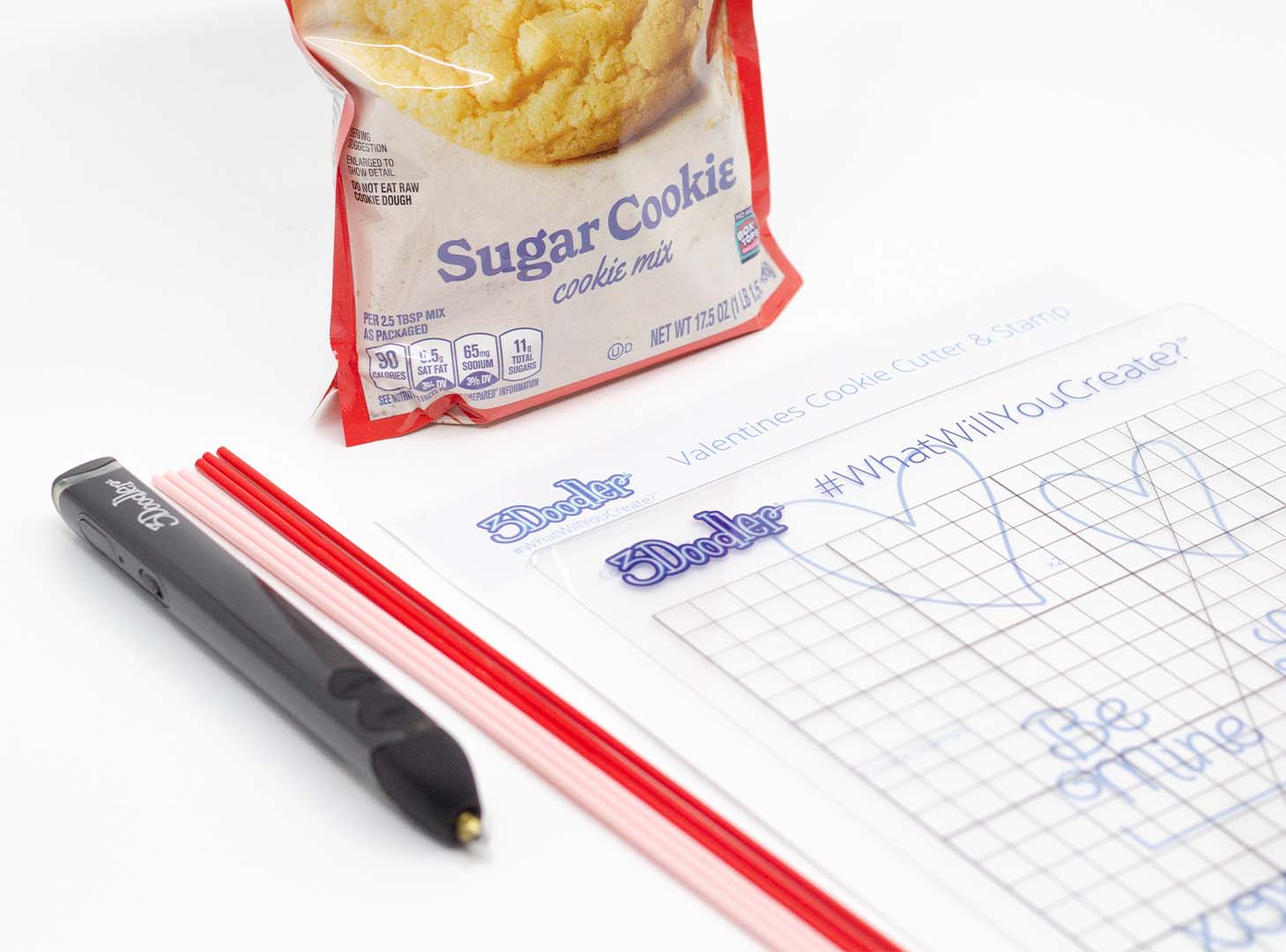
                     <p>Gather together your supplies: your 3D pen, some filament, and a DoodlePad. Then either make your own cookie dough from scratch or purchase your favorite ready-to-go dough!</p>
                 </div>

                 <div class='clearfix'></div>
             </div> <!-- tut-step -->

          
             <div class="tut-step">

                 <h2 class='tut-step-title'><span class='tut-step-num'>
                     2</span>
                     Doodle the Cookie Cutter                 </h2>

                 <img class="tut-main-image tut-main-image-1" src="https://cdn.help.the3doodler.com/20220207104836/CookieCutter-Tutorial_1.gif" />
                 <div class="tut-step-detail">

                                              <ul class="tut-step-thumb tut-step-thumb-1">
                         <li><img class='' data-index='1' src='https://cdn.help.the3doodler.com/20220207104836/CookieCutter-Tutorial_1.gif' /></li><li><img class='inactive' data-index='1' src='https://cdn.help.the3doodler.com/20220207104845/CookieCutter-Tutorial_2.gif' /></li>                         </ul>
                         <div class="clearfix"></div>
                     
                     <p>Trace the hearts on the stencil. Make sure that depending on which size you choose, you have two hearts that match. Once they are both Doodled, hold one on top of the other, with about a 1/2 inch gap in between. Take your pen and slowly Doodle to fill in the gap between the two hearts. When you are done, it should start to look like a three-dimensional cookie cutter.   </p>
                 </div>

                 <div class='clearfix'></div>
             </div> <!-- tut-step -->

          
             <div class="tut-step">

                 <h2 class='tut-step-title'><span class='tut-step-num'>
                     3</span>
                     Reinforce your creation                 </h2>

                 <img class="tut-main-image tut-main-image-2" src="https://cdn.help.the3doodler.com/20220207104854/CookieCutter-Tutorial_3.gif" />
                 <div class="tut-step-detail">

                     
                     <p>Because we are going to be using this shape to mold our cookies we need to make sure that it is strong and durable. This will require another layer of filament to be applied all around the inside and the outside of your heart-shaped cookie cutter. This filament needs to be applied tight and thick so that when you are done, your cutter is sturdy and can support being pressed onto cookie dough to form your cookie shape.</p>
                 </div>

                 <div class='clearfix'></div>
             </div> <!-- tut-step -->

          
             <div class="tut-step">

                 <h2 class='tut-step-title'><span class='tut-step-num'>
                     4</span>
                     Doodle the Cookie Stamps                 </h2>

                 <img class="tut-main-image tut-main-image-3" src="https://cdn.help.the3doodler.com/20220207104910/CookieStamp-Tutorial_1.gif" />
                 <div class="tut-step-detail">

                                              <ul class="tut-step-thumb tut-step-thumb-3">
                         <li><img class='' data-index='3' src='https://cdn.help.the3doodler.com/20220207104910/CookieStamp-Tutorial_1.gif' /></li><li><img class='inactive' data-index='3' src='https://cdn.help.the3doodler.com/20220207104917/CookieStamp-Tutorial_2.gif' /></li>                         </ul>
                         <div class="clearfix"></div>
                     
                     <p>Now, let's Doodle the Cookies Stamps. Doodle one of the messages from the stencil, or create your own! Similar to how you made the cookie-cutter, go back over your words several times to make sure your creation is bold and strong enough to be pressed evenly into a cookie. Next, Doodle the bar that is associated with each phrase and attach it to the back of the stamp so you have something to hold onto. </p>
                 </div>

                 <div class='clearfix'></div>
             </div> <!-- tut-step -->

          
             <div class="tut-step">

                 <h2 class='tut-step-title'><span class='tut-step-num'>
                     5</span>
                     Let&#039;s cut the dough!                 </h2>

                 <img class="tut-main-image tut-main-image-4" src="https://cdn.help.the3doodler.com/20220207104901/CookieCutter-Tutorial_4.gif" />
                 <div class="tut-step-detail">

                     
                     <p>Now that our cutters are ready to go - it's time to shape and bake our cookies. Preheat the oven to whatever your recipe calls for, and roll the dough out flat. Using your cookie cutter, firmly press the heart into the dough, and then arrange your heart-shaped cookies on the cookie tray. </p>
<p><div class='tut-protip'><i class='fa fa-bulb'></i><div class='tut-protip-content'><b>Tip: </b></div></div>: Once the cookies are in the oven, set a timer for half the total cooking time. When the timer goes off, remove the cookies from the oven, apply your stamp, and then return them to the oven to finish baking.</p>
                 </div>

                 <div class='clearfix'></div>
             </div> <!-- tut-step -->

          <error>
    <code>internal_server_error</code>
    <title><![CDATA[WordPress &amp;rsaquo; Error]]></title>
    <message><![CDATA[&lt;p&gt;There has been a critical error on this website.&lt;/p&gt;&lt;p&gt;&lt;a href=&quot;https://wordpress.org/documentation/article/faq-troubleshooting/&quot;&gt;Learn more about troubleshooting WordPress.&lt;/a&gt;&lt;/p&gt;]]></message>
    <data>
        <status>500</status>
    </data>
</error>