



Getting Started with your 3Doodler Chef
Just getting started with your 3Doodler Chef? Designed for effortless handling and precise control, this pen puts the power of confectionery creation right in your hands. Let’s walk through the basics so you can start crafting delicious designs immediately.
Basics
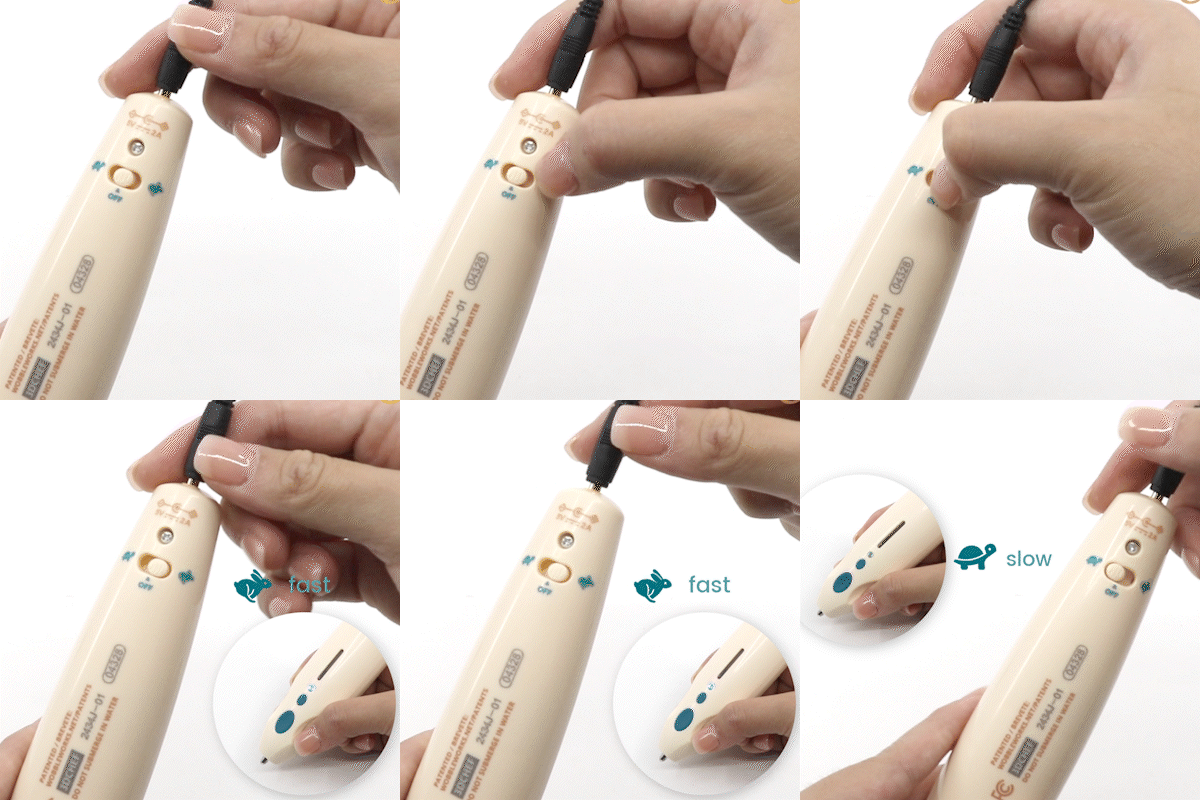
Set the Speed
- Plug in your 3Doodler Chef and power it on.
- Tap the Forward Button to switch between speed modes.
- While the pen heats up, the light glows Red. Once it switches to Green or Blue, you’re ready to go.
- Green Light (Turtle) – Slow, detailed mode for intricate candy designs
- Blue Light (Rabbit) – Fast, bold mode for filling larger areas
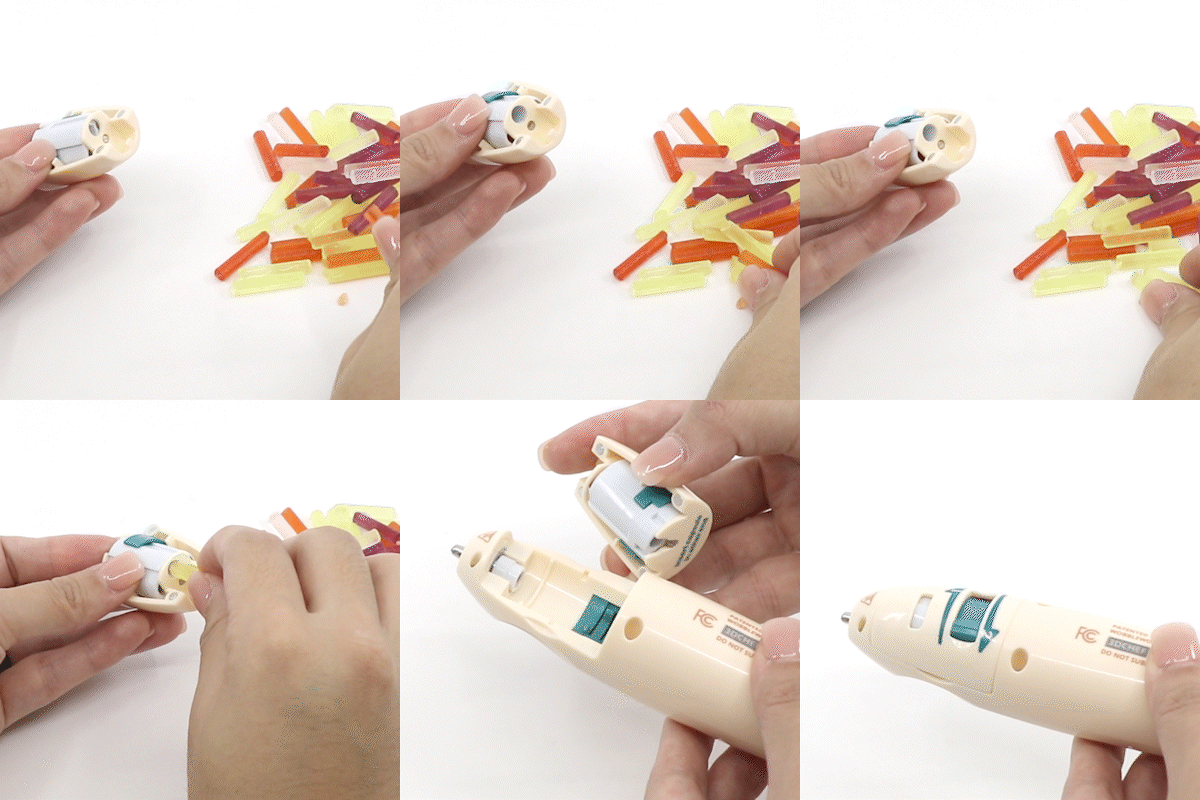
Load a Candy Capsule
- Open the cartridge slot and line up the capsule arrow with the guide.
- Push the capsule in until it clicks into place and engages the pushrod.
- Screw the nozzle snugly over the capsule opening.
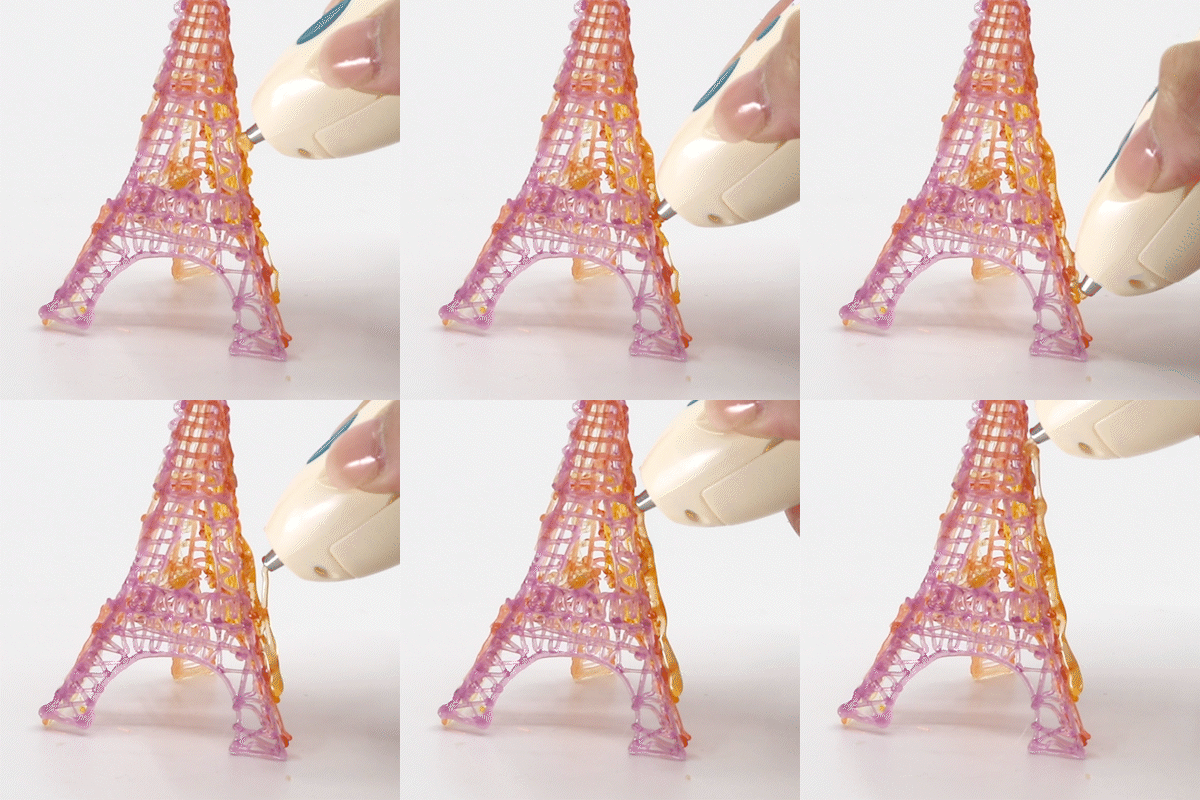
Start Doodling
- Press Forward once to begin extruding candy.
- Hold Forward for continuous flow, or tap to start and stop.
- Draw on your silicone mat, decorate cookies, or build free-standing candy shapes.
The Pen
The Buttons
- Forward Button: Initiates and pauses candy extrusion (tap or hold).
- Reverse Button: Ejects an empty capsule and prepares for the next one.
Indicator Lights
- Red: Pen is warming up.
- Green: Slow (detailed) mode is active.
- Blue: Fast (fill) mode is active.
- Flashing Green / Blue: Reverse mode (ready to swap capsules).
Operation
Feeding Capsules
- Insert the capsule and push until the pushrod snaps into position.
- When a capsule runs out, the pushrod pops forward automatically and clicks when ready for the next one.
Anchoring Your Candy
- Press the nozzle firmly against your silicone mat or baked goods.
- Let enough candy extrude so it sticks before lifting the tip.
Joining Candy Pieces
- Extrude a small amount of candy at the joint and press the nozzle to both surfaces until they bond.
Finishing and Tips
Reverse and Swap Capsules
- The pushrod clicks and the indicator flashes when a capsule empties.
- Press Reverse to eject the used capsule.
- Insert a new capsule and push until it clicks into place.
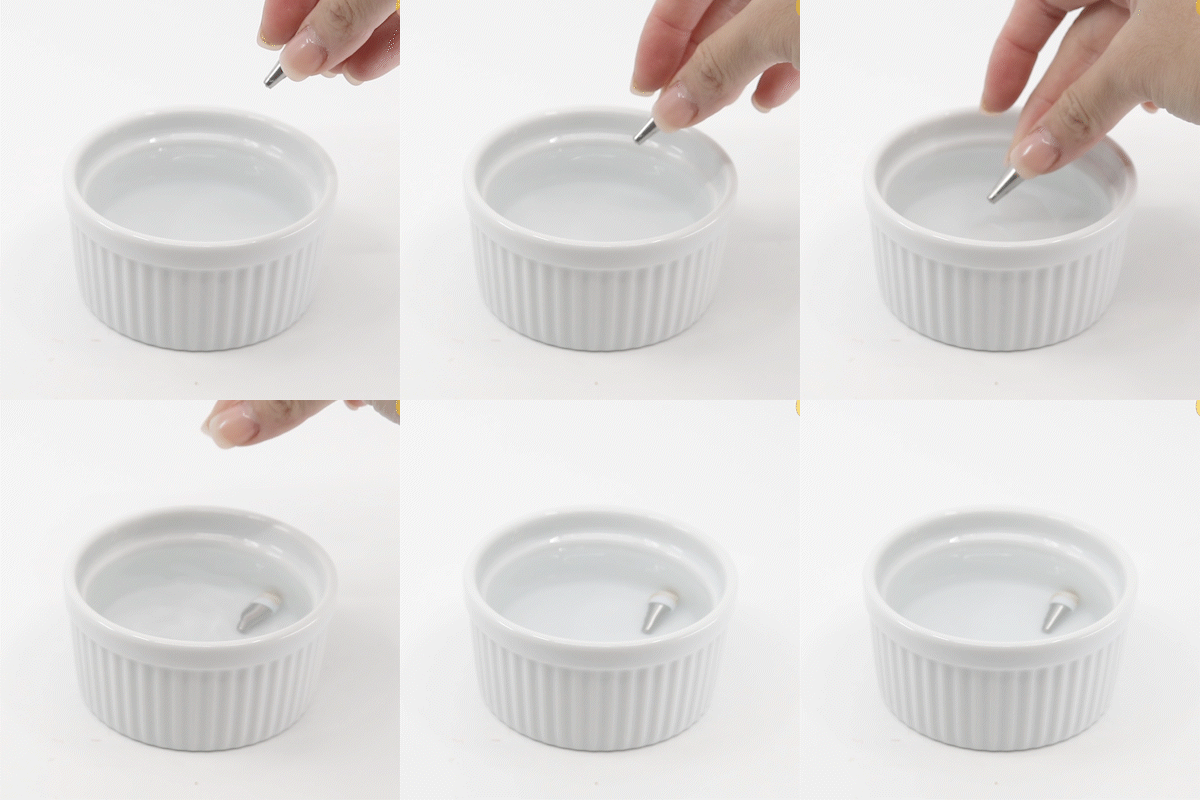
Clean the Nozzle
- Allow the pen to cool, then unscrew the nozzle by hand.
- Soak in warm water and clean using the Cleaning Brush.
- Dry completely before reattaching.
Troubleshooting
Clogged Nozzle
- Power on and wait for Green or Blue.
- Carefully remove the nozzle.
- Rinse with warm water and scrub with the Cleaning Brush.
- Dry completely, reattach, and heat again.
Pushrod Won’t Feed
- Remove and reseat the capsule, pushing firmly until it locks.
- Store capsules in a cool, dry place.
Accessories
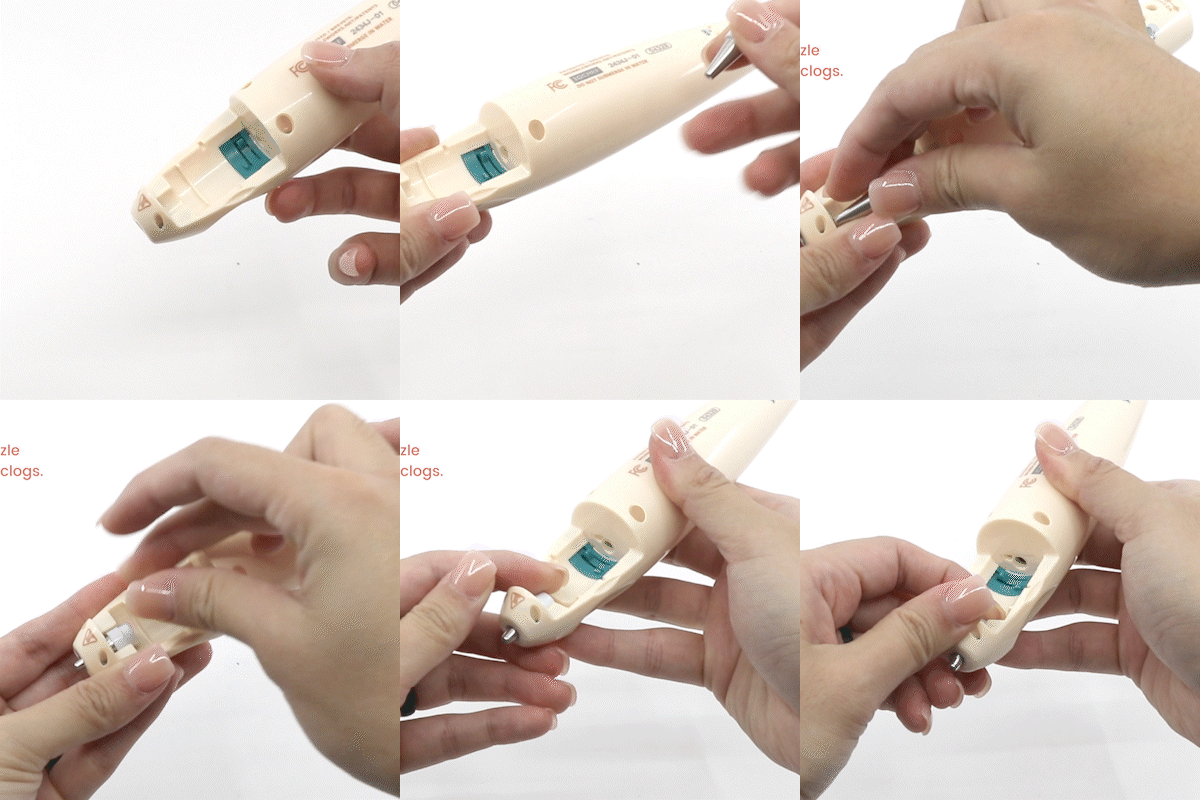
Switching Nozzles
- Unplug the pen and let it cool completely.
- Unscrew the current nozzle by hand.
- Screw on a fresh nozzle.
- Power up and heat before use.
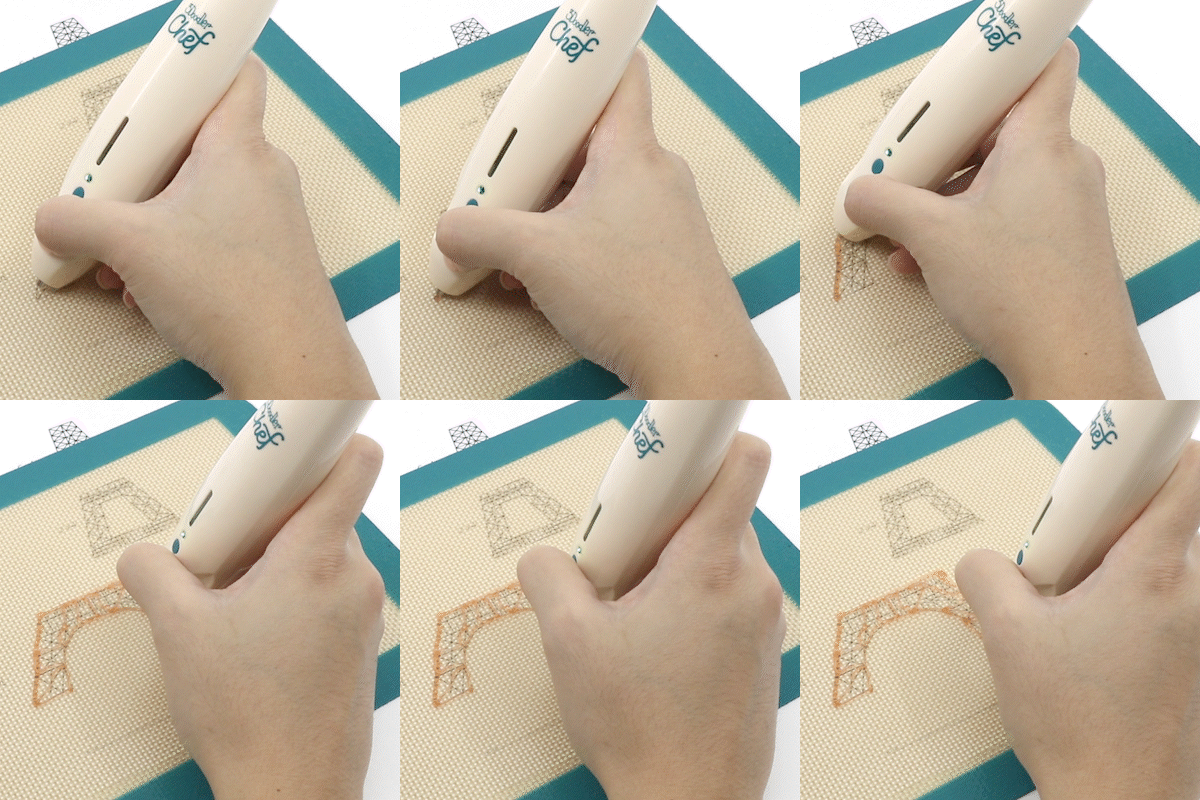
Using the Silicone Mat
- Place the mat on a flat surface.
- Slip a stencil underneath for guided designs.
- Peel hardened candy off and reuse the mat.


